You can start a print-on-demand store with $0, and you can do it this week. Print-on-demand means selling custom t-shirts, hoodies, mugs, and tote bags without buying stock upfront: a partner prints and ships each item only after a customer orders it, and you keep the difference between your retail price and the base cost. This guide gives you a concrete way to do it: the 10-Design 7-Day $0 Launch Sprint — pick one niche, publish ten designs in seven days on free platforms, and decide at day 30 which designs to keep, fix, or kill.
How Print-on-Demand Actually Works
The model works in four steps. First, you create a design and put it on a product inside a print-on-demand platform. Second, you list that product in a store or marketplace. Third, a customer buys it at your retail price. Fourth, the platform prints, packs, and ships it, charging you only the base cost plus shipping. Your profit is the retail price minus base cost, shipping, and marketplace fees.
That “pay only after a sale” mechanic is why the $0 start is real: traditional brands spend thousands on bulk inventory before selling a single shirt, while your upfront cost here is time, not money. The trade-off is thinner margins and slower shipping.
The biggest beginner mistake is uploading one design, waiting, and concluding “it doesn’t work.” One design teaches you nothing; ten designs in one niche teach you which phrases, styles, and products your audience actually wants. That is why this guide is built around a sprint, not a single upload.

The $0 Launch Sprint: 10 Designs in 7 Days
The sprint has one rule: no paid tools, no paid ads, and no paid store subscription until you have sales data. Everything below uses free tiers and free platforms. If a step asks for money, skip it or replace it with the free alternative given.
Set one honest expectation: most beginners do not get rich in week one. A realistic sprint goal is ten live listings, your first traffic data, and maybe your first sale. The real payoff comes in month two, when you expand the designs showing signs of life.
| Day | Sprint task | Done when… |
|---|---|---|
| Day 1 | Pick + validate your niche (see below) | You can name the audience in one sentence |
| Day 2 | Choose your free platform + open accounts | Your shop profile is live |
| Days 3–5 | Design 10 products in Canva free or the design maker | 10 designs exported at high resolution |
| Day 6 | Write SEO titles, descriptions, and tags | Every listing has a searchable title |
| Day 7 | Publish all 10 + post 3 traffic pins or videos | 10 listings live, 3 posts published |
| Day 30 | Run the Keep/Kill Scorecard | Every design marked Keep, Fix, or Kill |
Step 1: Pick a Niche That Can Carry 10 Designs
A niche is a specific group of people with a shared identity, hobby, or problem. “Dog lovers” is a niche, but “rescue pit bull moms who hike” is better, because you can picture exactly what that person would wear, say, and buy. It must be narrow enough that ten design ideas come easily, and big enough that thousands of people share it.
The 10-idea test
Before committing, write ten design ideas for the niche in ten minutes. If you stall at idea four, the niche is too narrow or you do not know the audience well enough — pick another one. Good starter niches include nurses, teachers, gardeners, gym beginners, new dads, book lovers, and home bakers. Pick an audience you understand, because you will be writing their jokes for weeks.
Check demand for free before you design
Search your niche phrase on Etsy, Redbubble, or Amazon and study the top results. Dozens of listings with thousands of reviews mean proven demand — and heavy competition. Almost no results can mean an untapped pocket, or no buyers at all. The sweet spot is steady demand with room for a fresh voice. For a structured test, read our guide on how to validate a side hustle idea first.
Step 2: Choose Your Free Platform
Free platforms fall into two families. Marketplaces such as Redbubble and TeePublic give you a storefront and built-in shoppers, but less pricing control. Print providers such as Printful and Printify connect to your own Etsy or Shopify store, giving you more control — and, in Etsy’s case, a small listing fee. All four let you start without paying for inventory.
| Platform | Best for beginners who… | What it costs to start | Watch out for |
|---|---|---|---|
| Redbubble | Want the simplest start, no store to build | Free to join | Less pricing control |
| TeePublic | Want marketplace traffic, simple uploads | Free to join | Margins vary by product |
| Printful | Want their own branded Etsy/Shopify store | Free; base cost only after a sale | You must bring your own traffic |
| Printify | Want to compare providers on price | Free plan; base cost after a sale | Quality varies — sample before scaling |
For a true $0 first week, start on a marketplace or pair Printful/Printify with an existing free channel rather than a paid Shopify plan. Our guide to selling on Etsy covers listing basics that transfer to POD products. Read your platform’s seller terms first: marketplaces remove infringing designs, and repeated violations can close your account.

Step 3: Design 10 Products With Free Tools
You do not need Photoshop or artistic training. The best-selling beginner POD products are usually clean typography, a short clever phrase, or a simple illustration — not complex artwork. Free tools that cover the job include Canva’s free tier, your platform’s built-in design maker, and free vector tools such as Inkscape for crisper lines.
Design rules that save beginners
Keep text short — three to seven words beats a paragraph nobody reads on a shirt. Use high contrast and check the design on light and dark previews. Export at high resolution (often 4500 × 5400 pixels for apparel) so prints stay sharp, and place the design where it prints: centered chest art is the safest default.
Make original work only
Never put band names, movie quotes, team logos, cartoon characters, or brand slogans on your products. “Inspired by” a trademark still counts as infringement, and takedowns are the fastest way to lose a new account. Write your own phrases, and check the platform’s rules before using AI-generated art.
Start with tees, then expand
Make at least seven of your ten sprint designs tees — they are the cheapest to test and the most-bought marketplace product — and use the other three to test one hoodie, one mug, and one tote bag. For a wider comparison, see the best side hustles for beginners.
Step 4: Price for Profit (the Calculator Part)
Price from the base cost upward, never from a round number you like. The formula: retail price − base cost − shipping charged to you − marketplace fees = your profit. Skip the fee line and you will think you are profitable while quietly losing money on every order.
Worked examples: a tee at a $13 base cost sold for $24.95 with about $3 in fees leaves roughly $8.95 profit; a hoodie at $28 sold for $44.95 with about $4 in fees leaves roughly $12.95; a mug at $10 sold for $19.95 with about $2 in fees leaves roughly $7.95. These are illustrative — always read the live base cost in your own provider dashboard before pricing.
| Product (example) | Example base cost | Example retail price | Example fees | Example profit |
|---|---|---|---|---|
| Classic t-shirt | $13.00 | $24.95 | ~$3.00 | ~$8.95 |
| Pullover hoodie | $28.00 | $44.95 | ~$4.00 | ~$12.95 |
| Ceramic mug | $10.00 | $19.95 | ~$2.00 | ~$7.95 |
| Canvas tote bag | $14.00 | $26.95 | ~$3.00 | ~$9.95 |
Two rules follow. First, never price below base cost plus fees just to “get sales” — a money-losing sale teaches the algorithm to send you more money-losing buyers. Second, do not overprice a first design at $39.95 for a basic tee; beginners do best in the middle of their niche’s normal range, raising prices only on proven sellers. On Etsy, build the listing fee (currently $0.20 per listing) plus the transaction fee into your price. Finally, set a profit floor before launch — many beginners use $7–$10 per shirt — and refuse any price below it.
Step 5: Write Listings That Get Found
On marketplaces and Etsy, shoppers find you through search, not your brand name. Your title should read like what a buyer types: niche + product + occasion. “Funny Nurse T-Shirt, RN Gift, Nurse Appreciation Tee” will be found; “Sarah’s Cool Shirt #4” will not. Put your strongest keywords first, because results truncate the rest.
Write the description for a human deciding whether to buy: who it is for, what it is made of, how it fits, and when it arrives, plus care instructions. Use all your tag slots, mixing niche (“nurse gift”), product (“funny t-shirt”), and occasion (“nurse appreciation week”) tags, and repeat the same keywords naturally in the title, tags, and description.
Your mockup is your shop window: use your platform’s generated mockups on a real-looking product photo, not a flat graphic alone, and add a lifestyle shot or print close-up if you can. Clear, honest mockups earn more clicks — and fewer returns.
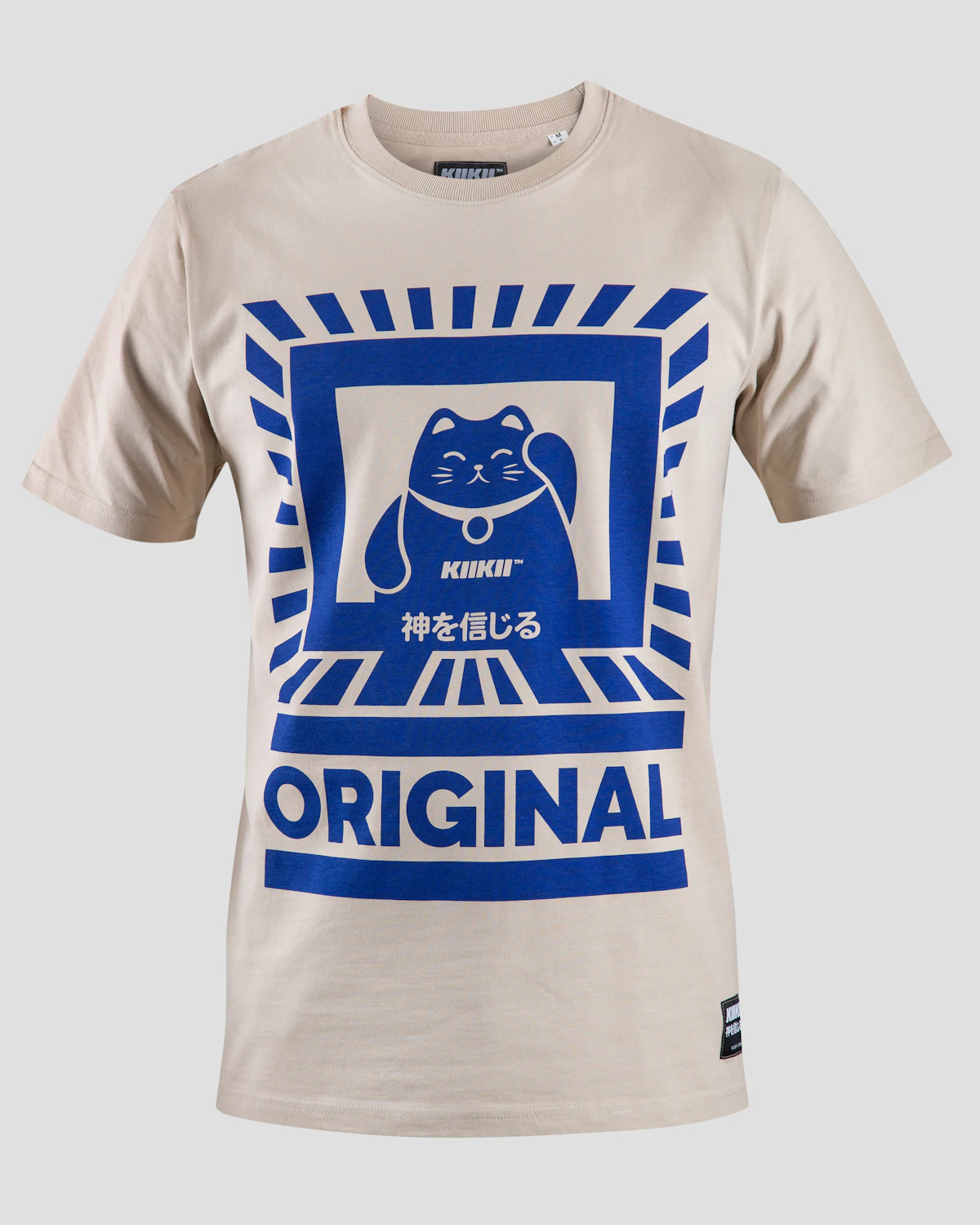
Step 6: Get Free Traffic Without Paid Ads
Free traffic is slower than paid ads, but it fits a $0 budget — and it teaches you which messages work before you ever spend a dollar. Pick two channels and post consistently for 30 days.
Short videos that sell the feeling, not the shirt
Film 15–30 second videos about your niche’s daily life, then show the product as the punchline, not the pitch: a nurse-humor video ending with your nurse tee beats one that just says “buy my shirt.” Post daily if you can, and link to your shop in your profile.
On Pinterest, pin each product with a keyword-rich title, a vertical image, and a link to the listing, on a board named for your niche — pins can send traffic for months. Niche groups can also send first buyers if you contribute first.
The 30-Day Keep/Kill Scorecard
On day 30, score all ten designs honestly. This second half of the sprint turns ten guesses into a real store: open each listing’s stats, check views, favorites, and sales, then sort each design into Keep, Fix, or Kill.
| Verdict | Day-30 signal | What to do next |
|---|---|---|
| Keep | Any sale, or steady views + favorites | Expand it: new colors, hoodie + mug versions, a second design in the same family |
| Fix | Clicks but no favorites or sales | Rewrite the title, retake the mockup, or reprice — change ONE thing, re-check in 14 days |
| Kill | Almost no views after 30 days of traffic posts | Retire it; replace with a new design in the winning niche |
Expect a spread, not a sweep. A normal first sprint might produce two Keeps, three Fixes, and five Kills — and that is a success, because you now know which direction to expand. Your second sprint is ten designs built around the Keepers. Before scaling a winner, order a sample: it catches print problems early.

5 Mistakes That Cost Beginners Their First Month
1. Copying trademarked phrases
Movie lines, song lyrics, team names, and cartoon characters get listings removed and accounts closed. Use your own phrases instead.
2. Launching one design and waiting
One listing is a sample size of one. Ten listings in one niche generate data; ten random listings generate noise.
3. Pricing below base cost plus fees
A price that loses money on every order is not a strategy. Use the profit formula and hold your profit floor.
4. Buying ads before any sales data
Paid ads amplify whatever your listings already do. If nobody clicks for free, paying for clicks buys expensive proof of the same problem.
5. Quitting at day 14
Most sprint data arrives in weeks three and four, once search engines have indexed your listings. Judge the sprint at day 30, not day 14.
Frequently Asked Questions
Can you really start a print-on-demand store with $0?
Yes. Marketplaces like Redbubble and TeePublic are free to join and upload to, and providers like Printful and Printify charge you only after a customer buys. Your real investment is time. Optional costs — a paid store plan, samples, or ads — come later, after sales prove the concept.
Do I need design skills to start print-on-demand?
No. Simple typography and short original phrases sell well, and free tools like Canva’s free tier plus your platform’s design maker cover the workflow. Niche knowledge — knowing what your audience finds funny or meaningful — matters more at the start.
How much money can you make with print-on-demand?
It varies widely. A typical beginner profit is roughly $7–$13 per shirt after base costs and fees, so earnings depend on volume: ten sales a month is a small side income, while hundreds of sales across a tested catalog can become a meaningful side business. No honest guide can promise a specific income figure.
Printful vs Printify vs Redbubble: which is best for beginners?
Redbubble is the simplest true $0 start, with built-in shoppers. Printful suits beginners who want their own branded store and consistent quality; Printify suits those who want to compare providers on price. Many sellers start on a marketplace, then add a Printful or Printify store for their winners.
How long does it take to get your first print-on-demand sale?
Some sellers get a sale in the first week; others need four to eight weeks of consistent listings and free promotion. The day-30 scorecard tells you whether you are on track, and what to change.
Your First Week Starts Now
You do not need a logo or a business plan. You need one niche, ten designs, and seven days of steady work. Run the sprint, score it honestly at day 30, and let the data decide what you make next.
Want the next step? Subscribe to the HopProg newsletter for weekly beginner-friendly money guides, and learn more about us on the About page. Still choosing? Compare POD with how to choose a side hustle and freelancing for beginners before committing your month to one path.
Sources and further reading: Printful, Printify, Redbubble, Etsy — Sell on Etsy.